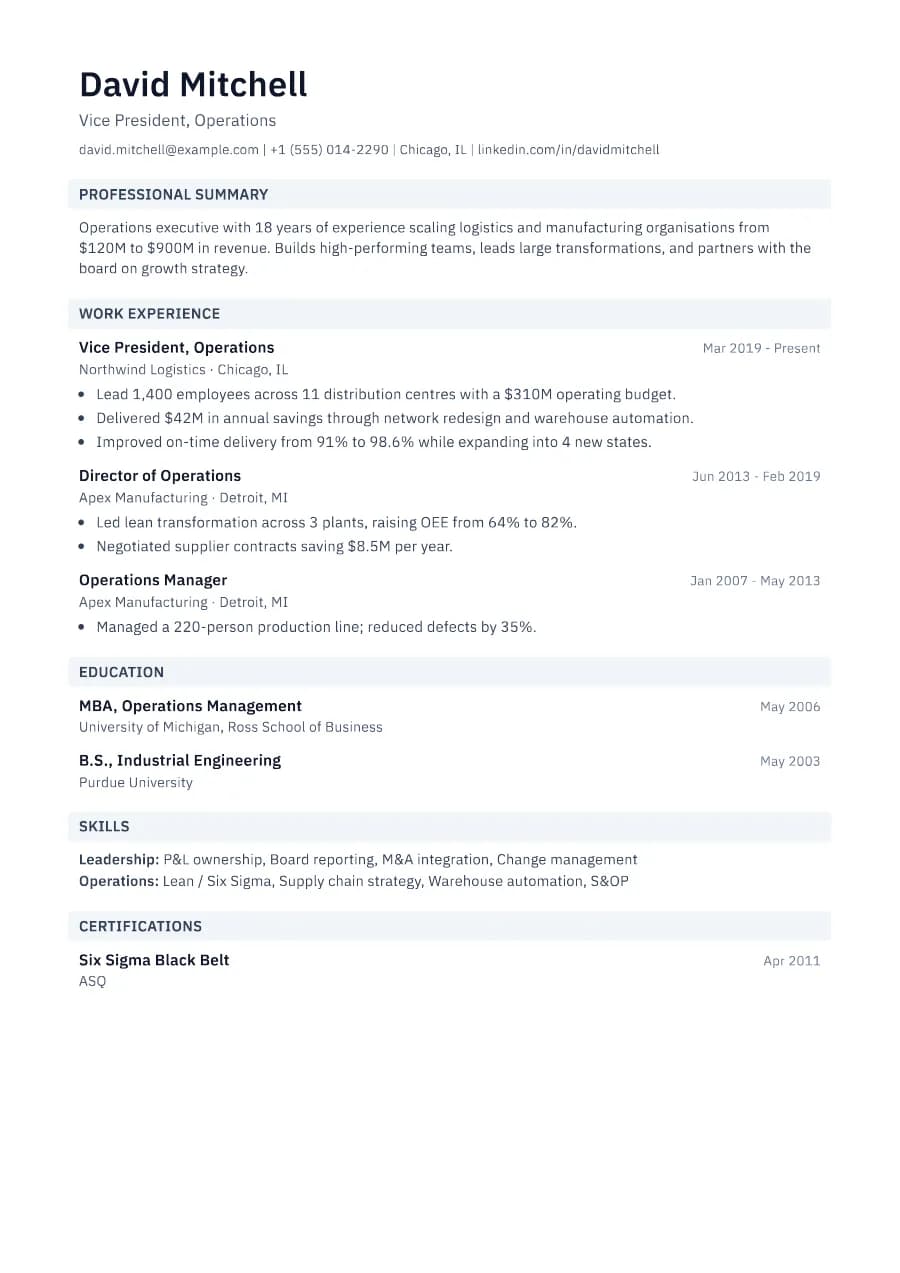
Why Slate passes ATS
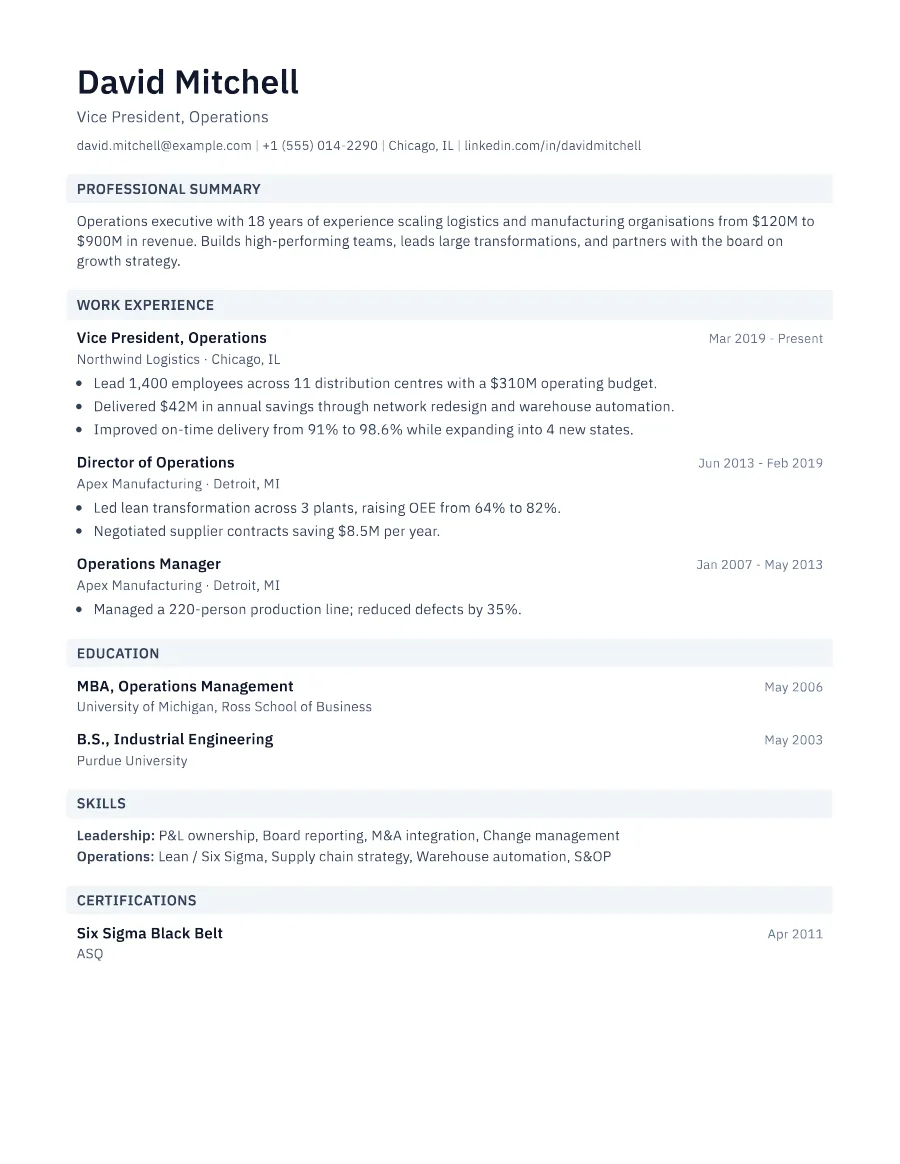
The bands are background shading only. The headings themselves are ordinary text, so ATS software sees 'Work Experience' exactly as you do. The layout is one column with predictable entry structure throughout.
- Single reading order: what you see is what the ATS reads
- No tables, text boxes or text inside images
- Standard section headings recognised by applicant tracking systems
- Fonts embedded in the PDF, so text is selectable everywhere
- Verified by exporting a real PDF and checking the extracted text
Who the Slate template is for
- Operations managers
- Management consultants
- Programme and project managers
- Corporate strategy
- Supply chain professionals
Tips for filling in Slate
- 1Slate handles dense content well; use it if you have many short, metric-driven bullets.
- 2Keep company and location on the line under the role for a tidy rhythm.
- 3Pick a dark accent (navy, charcoal) to stay in keeping with the muted bands.
Is Slate the right template for you?
Slate is the template for structured, information-dense resumes. Its grey heading bands make sections easy to find when there is a lot on the page, which is why it suits consultants and operations leaders with many quantified bullets. If you want a lighter, more open page, try Minimal or Clarity. If you are a senior manager and want a stronger statement at the top, Boardroom's coloured name and title line may suit you better.
Slate template FAQ
Will the grey bands print well?
Yes. They are light enough for black-and-white printers and the PDF keeps them exactly as shown.
Is Slate one page?
With typical content, yes. It flows cleanly onto a second page if needed.