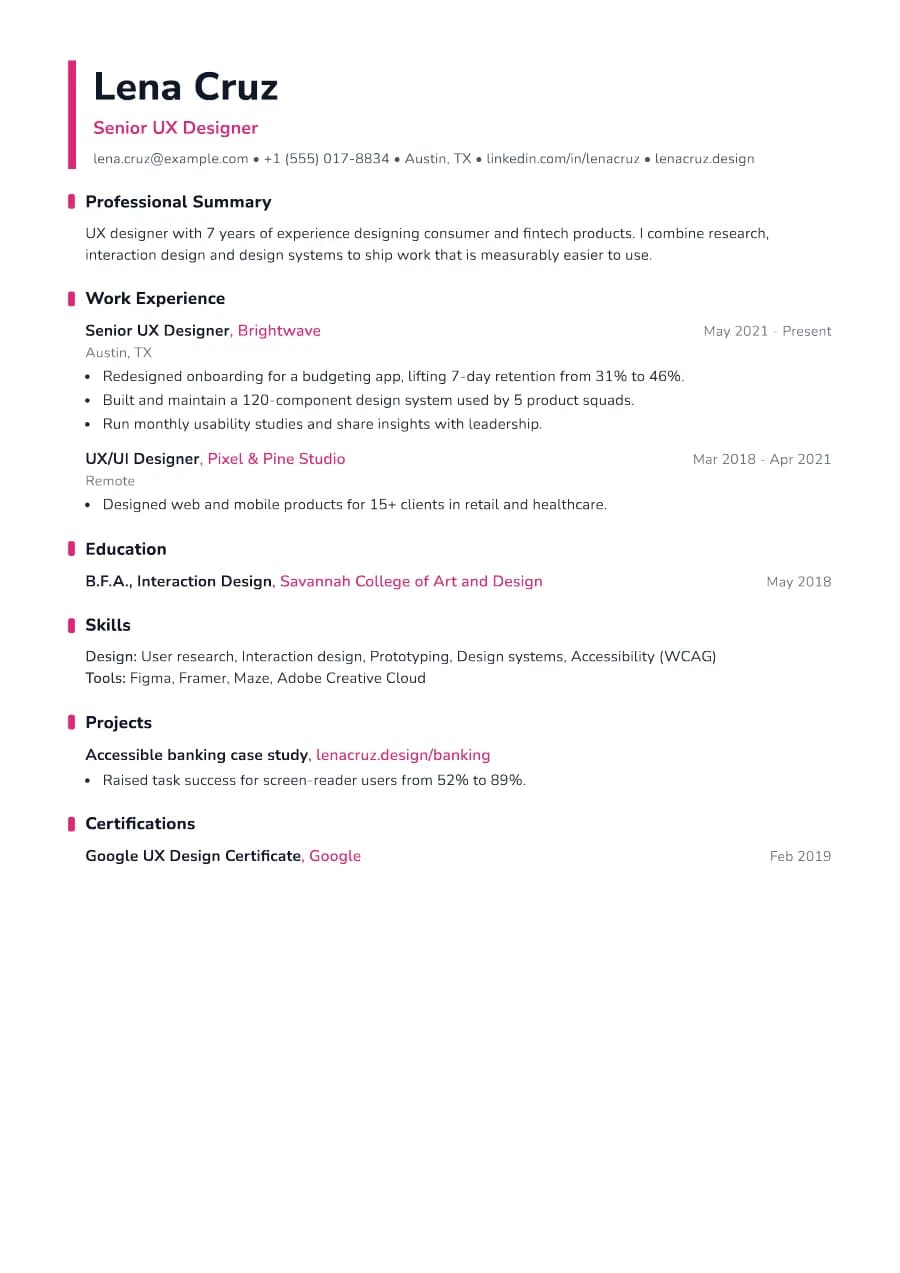
Why Accent passes ATS
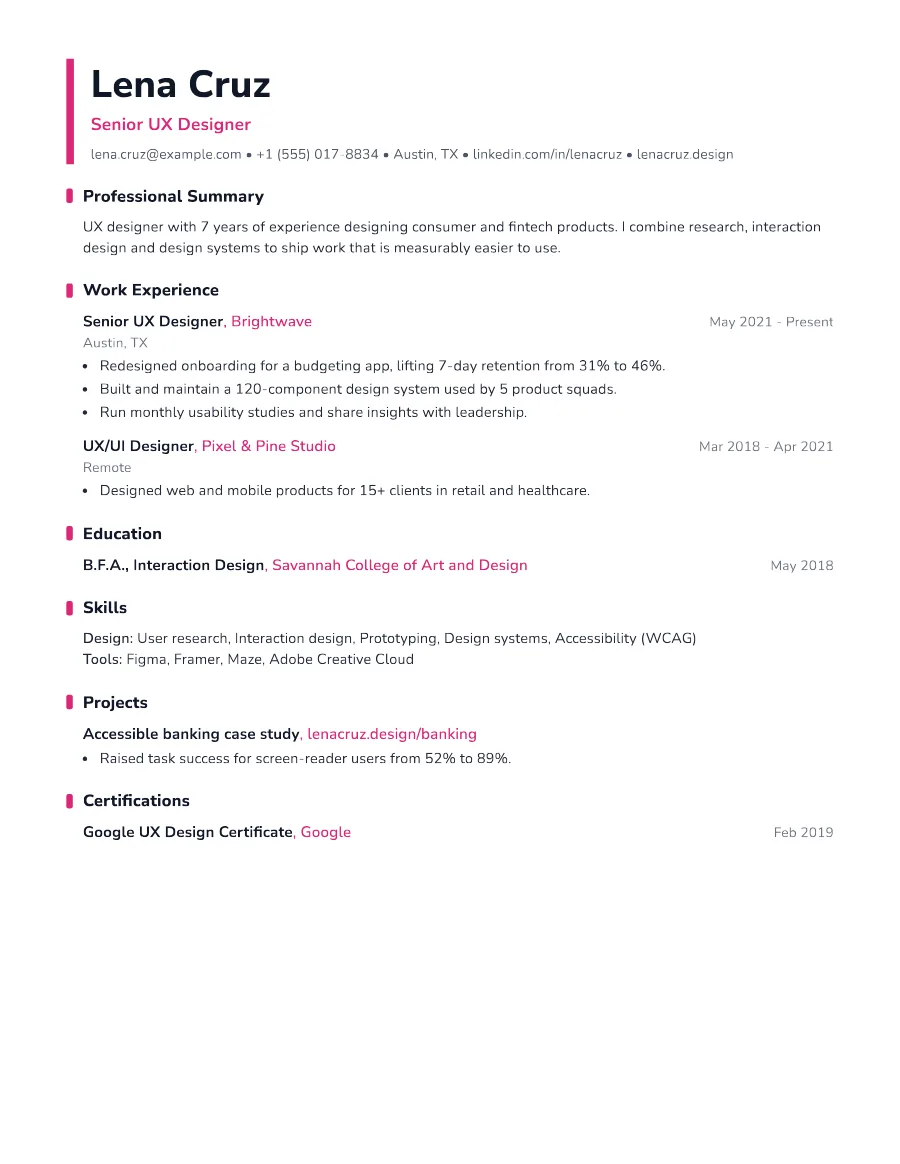
All the colour is decorative: borders and markers drawn with CSS. The content is one column of standard, selectable text with conventional headings, so parsers read it as easily as a plain resume.
- Single reading order: what you see is what the ATS reads
- No tables, text boxes or text inside images
- Standard section headings recognised by applicant tracking systems
- Fonts embedded in the PDF, so text is selectable everywhere
- Verified by exporting a real PDF and checking the extracted text
Who the Accent template is for
- Marketing and content roles
- Social media managers
- Junior designers and design-adjacent roles
- Event and brand coordinators
- Creative agency staff
Tips for filling in Accent
- 1Choose one bold colour and let it carry the design. Don't add more.
- 2Link your portfolio in the website field; it appears in the contact line.
- 3Keep bullets results-focused even in creative roles (reach, engagement, conversions).
Is Accent the right template for you?
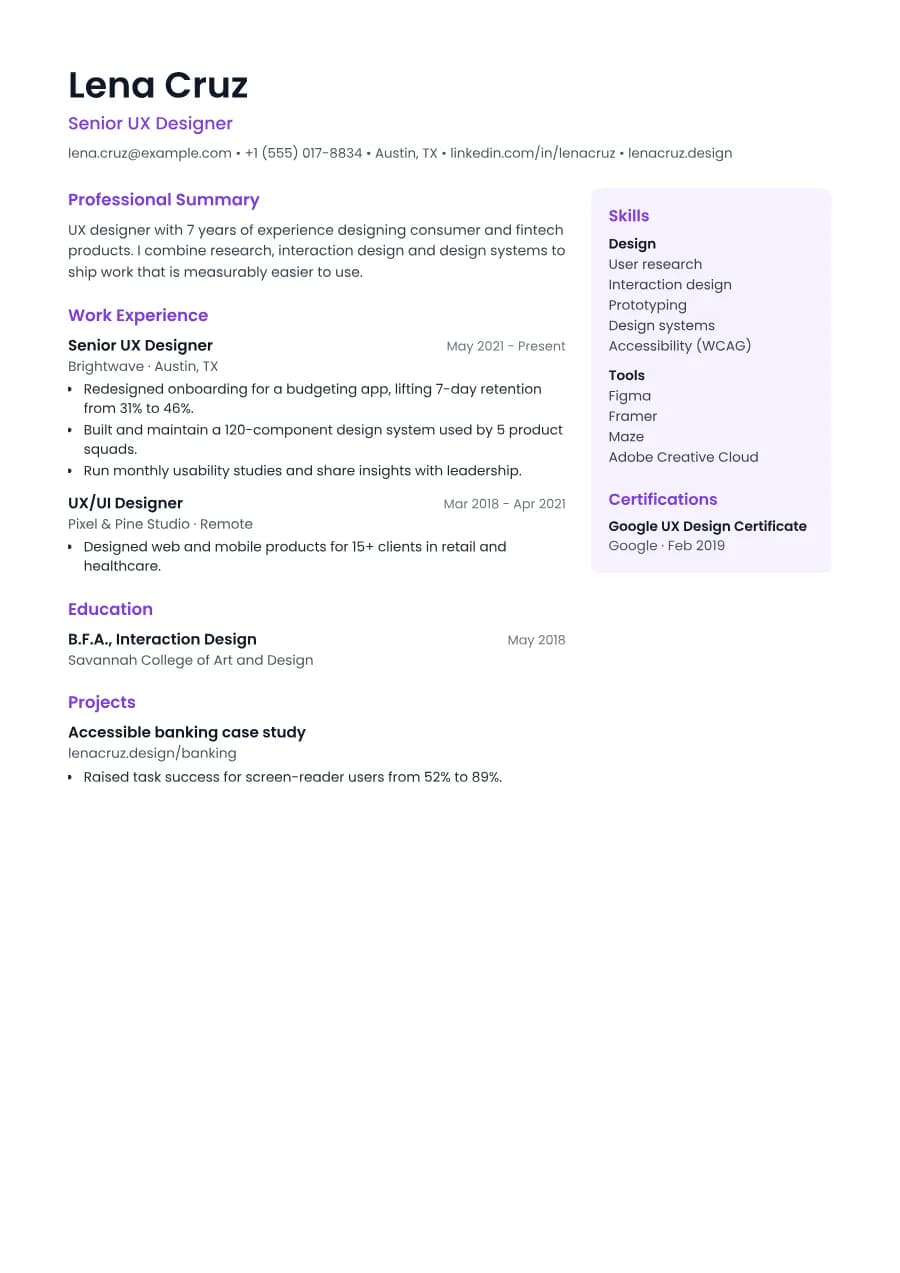
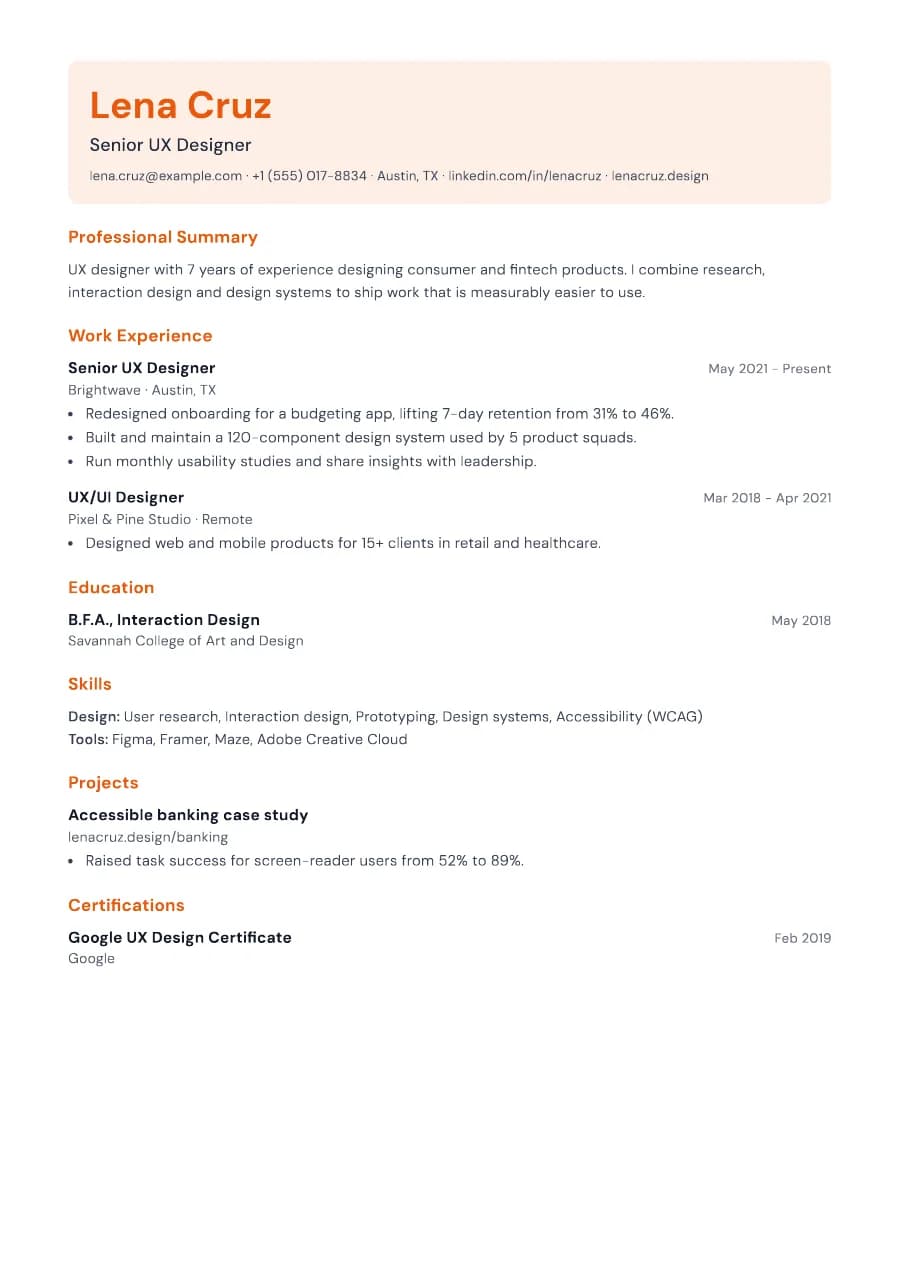
Accent, Canvas and Studio are our three creative templates, and all three keep a clean ATS reading order. Accent is the most restrained: colour appears as a bar and heading markers while the layout stays a single column. Canvas makes a bigger statement with its tinted header block. Studio adds a two-column look with a sidebar. If you work in a conservative industry, Accent with a muted colour is the safest of the three.
Accent template FAQ
Do creative resumes fail ATS?
Many do, because they use columns, graphics or text in images. Accent avoids all of those.
Can I use Accent for non-creative jobs?
Yes. With a muted colour it works well for any role.