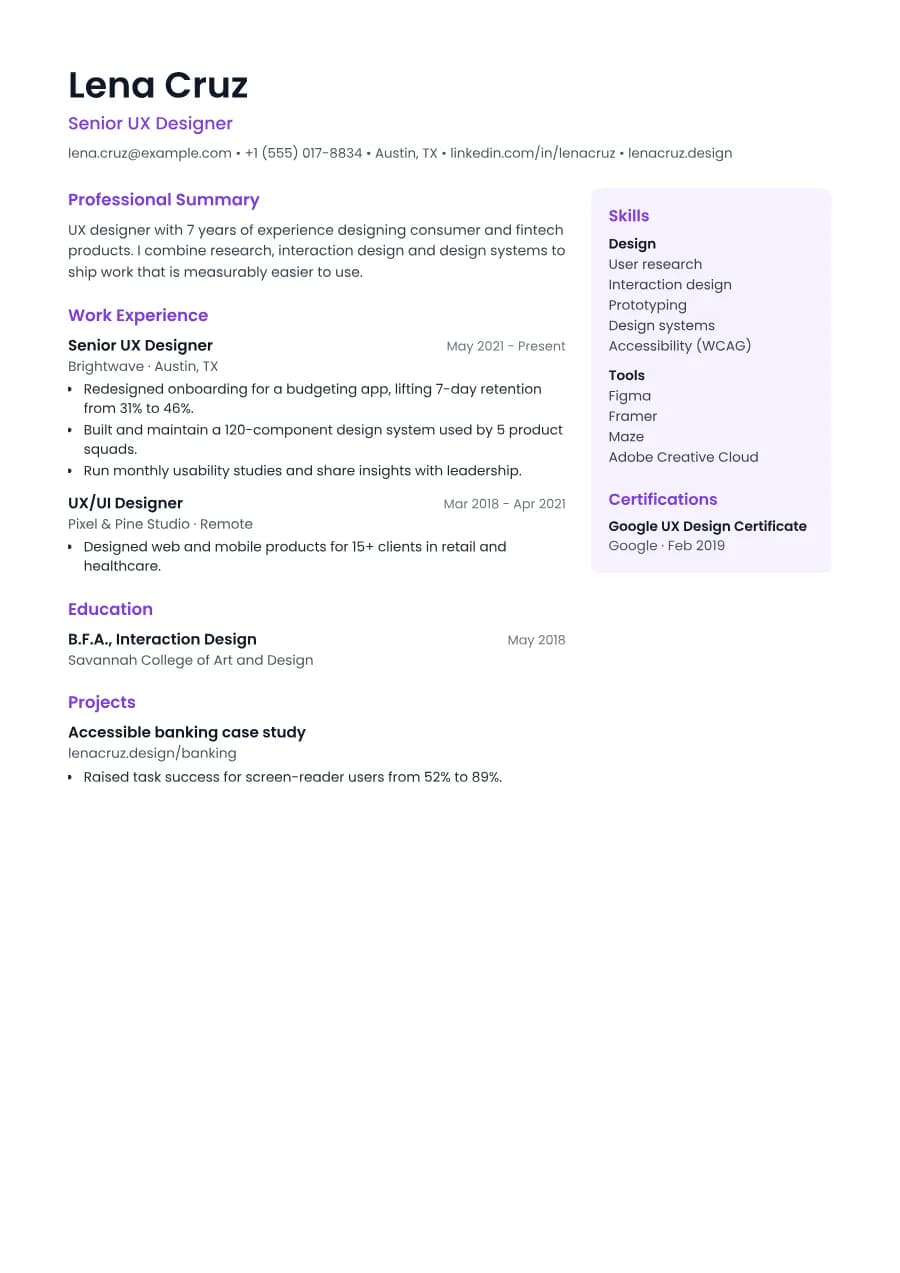
Why Studio passes ATS
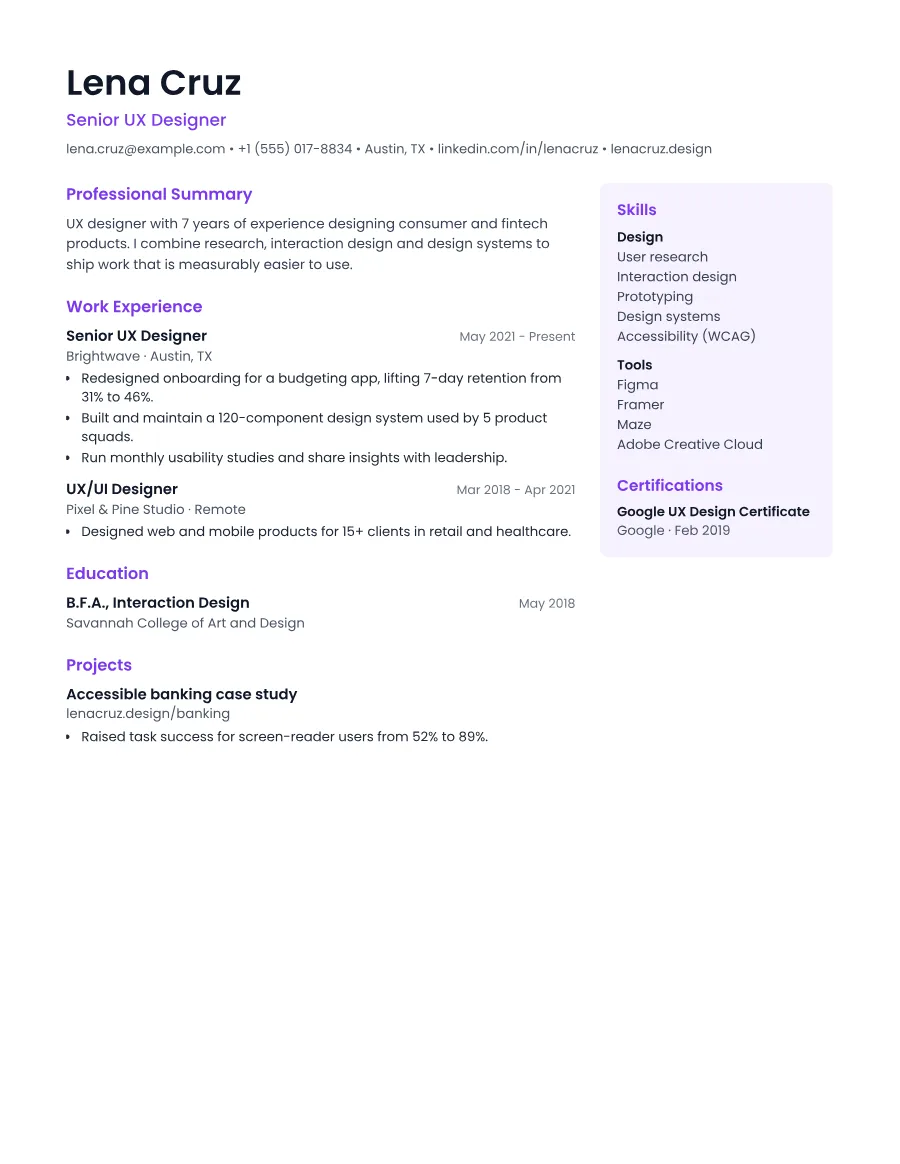
Most two-column resumes confuse parsers because the columns are read side by side. In Studio, the main column comes first in the document and the sidebar after it, so ATS software reads your experience in full before your skills. The DOCX download is single-column for maximum compatibility.
- Single reading order: what you see is what the ATS reads
- No tables, text boxes or text inside images
- Standard section headings recognised by applicant tracking systems
- Fonts embedded in the PDF, so text is selectable everywhere
- Verified by exporting a real PDF and checking the extracted text
Who the Studio template is for
- UX and product designers
- Content strategists
- Media and communications
- Marketing specialists
- Anyone with many skills to list
Tips for filling in Studio
- 1Keep sidebar items short. Single words or short phrases read best there.
- 2Put your strongest evidence in the main column; the sidebar supports it.
- 3Use the DOCX download if a job portal asks specifically for a Word file.
Is Studio the right template for you?
Studio is for people who want a two-column look without risking their ATS score. If you have only a few skills, a sidebar will look empty, so choose Accent or Canvas instead. If a job portal requests a Word document, download the DOCX: it is single-column by design. Developers who like the sidebar idea should still compare Studio with Developer, which shows skills grouped by category in the main flow.
Studio template FAQ
Are two column resumes bad for ATS?
Often, yes. But not when the reading order is controlled. Studio's sidebar follows the main column in the text, which our extraction test checks.
What goes in the sidebar?
Skills, certifications, languages and any custom sections. Experience, education and projects stay in the main column.